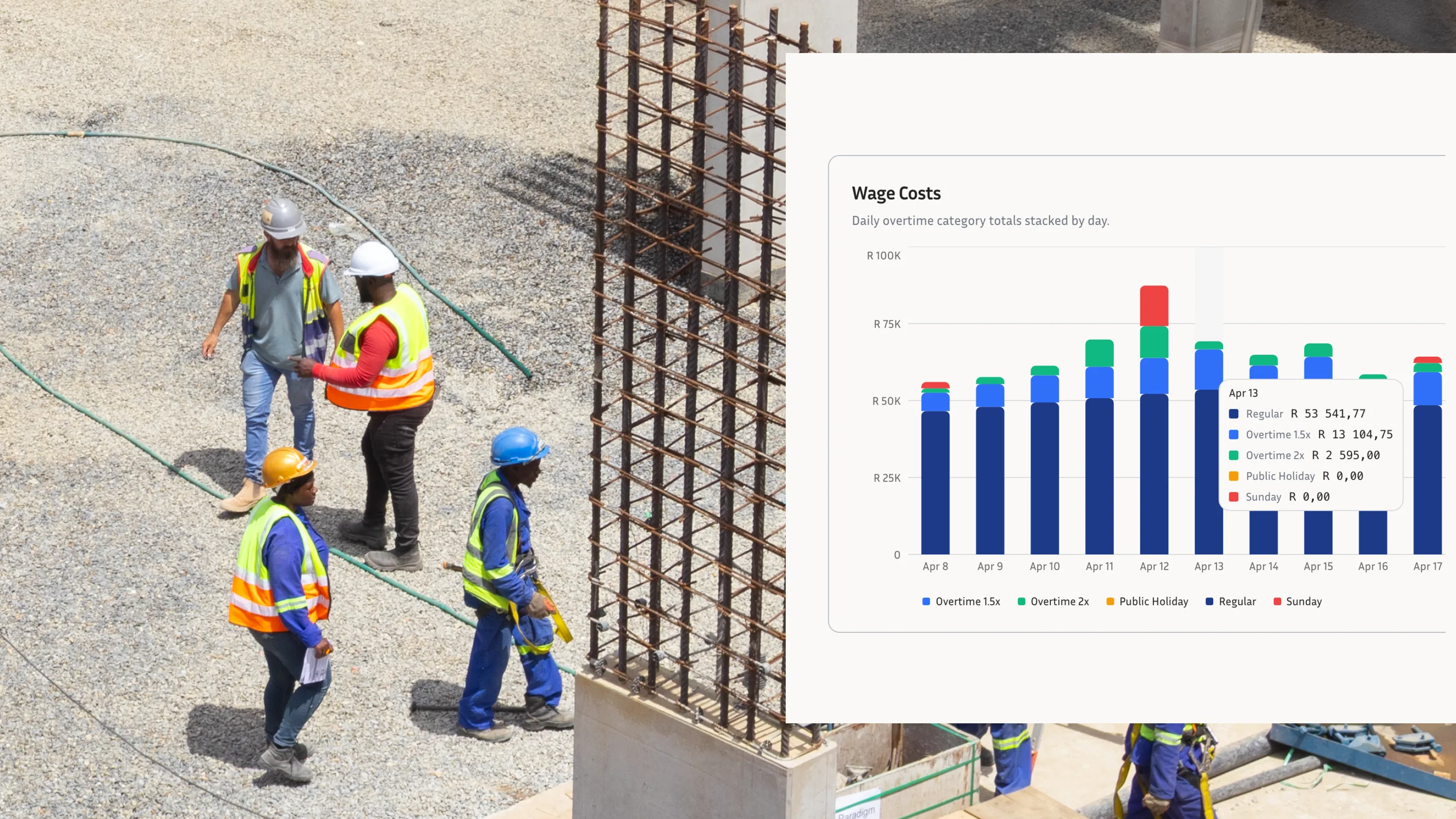
Paper registers still appear at gates, in site offices, and in supervisors' vehicles. They are familiar and inexpensive, but they create a weak operational record when several people need to review what happened on a specific day. A name and a handwritten time can be useful as a note. It is much less useful when payroll, a project manager, or an authorised reviewer needs to understand who recorded it, when it was recorded, and whether the entry matches the worker on site.
Why Paper Records Are Difficult to Review
Paper does not automatically tell a manager whether an entry was made at the start of a shift, copied from another register, or corrected later. Pages can be lost, handwriting can be unclear, and one site may use a different format from the next. The result is more time spent interpreting records and less confidence that payroll and site reporting are working from the same information.
The issue becomes more visible across multiple sites. A payroll team might receive photographs of registers by WhatsApp, while a project manager has a separate list of the crew and a supervisor has notes in a spreadsheet. Each source may be reasonable on its own. Together, they make it harder to resolve a simple question about attendance without a chain of phone calls.
What Facial Clocking Adds to the Attendance Record
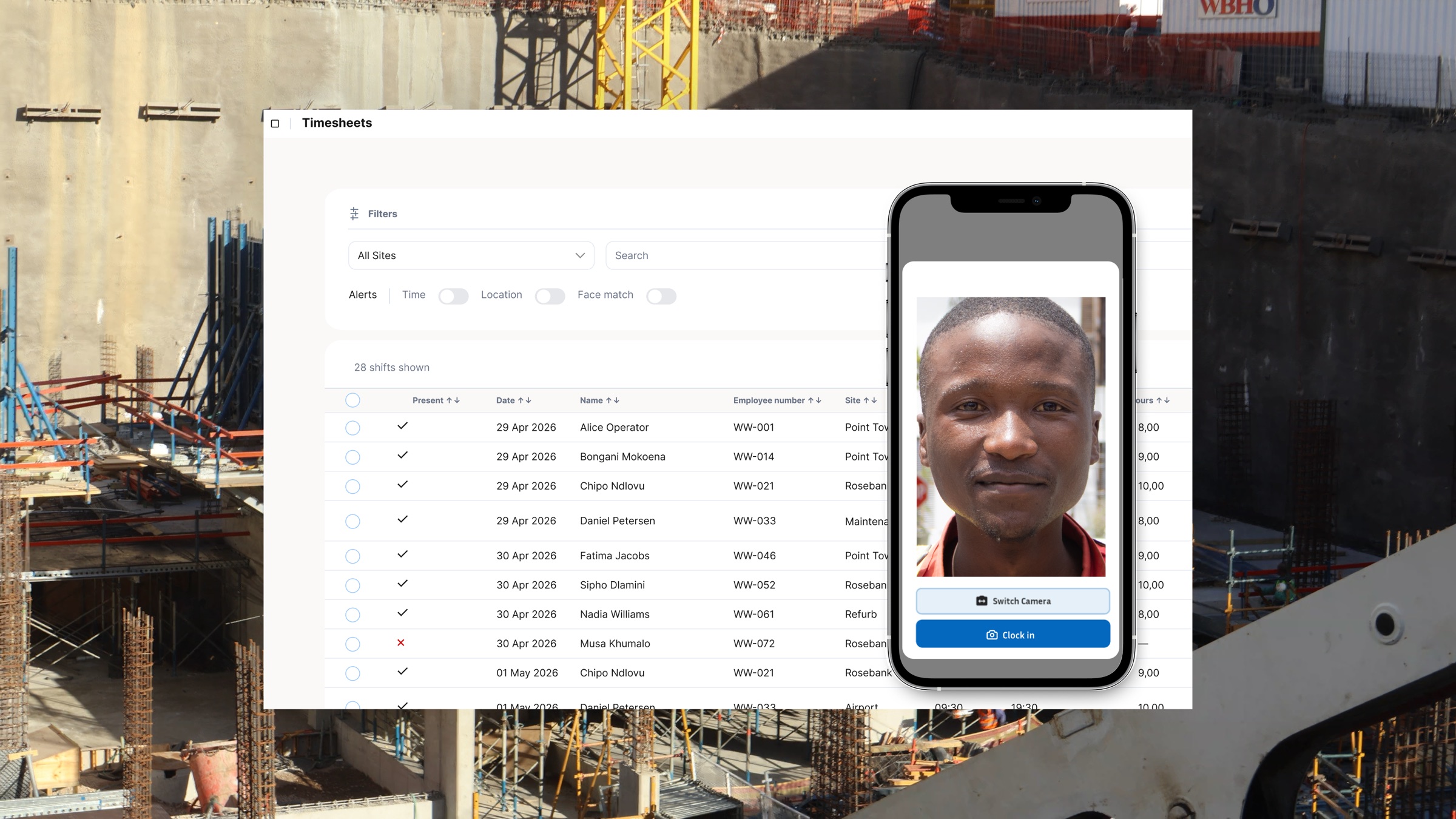
Facial clocking uses a worker's approved profile reference as part of the clock-in process. When paired with a timestamp and available device location context, it gives the business more information to review than a handwritten signature alone. It can help supervisors spot entries that need attention and makes it easier to retrieve a consistent attendance history from a central system.
It is important to be precise about what this does and does not show. A facial clocking event is a useful attendance signal, not a substitute for fair management, a lawful policy, or a full account of every minute of work. Location data indicates where the device reported it was, and identity checks depend on the quality and configuration of the process. Managers should use the record alongside their normal review and approval controls.
Start the Record at Onboarding
A dependable attendance process begins with a clean worker profile. Before the first shift, collect the information your organisation needs, explain how attendance data will be used, and ensure access to sensitive records is restricted. With a clear profile in place, each later clock event can be reviewed in its proper context instead of being treated as an isolated photo or signature.
For employers using facial verification, privacy matters. Tell workers what data is collected, why it is collected, who can access it, and how long it is retained. Get appropriate advice on your obligations and make sure the process is proportionate to the business need. Technology should make attendance administration more transparent, not create uncertainty for the people using it.
A Better Workflow for Site Teams
- Set up one worker profile and a clear clocking process before work begins.
- Capture attendance when the worker arrives and leaves, including relevant site context where available.
- Review exceptions while the work week is still open rather than reconstructing them at payroll cut-off.
- Keep approved attendance records in a central place that authorised managers can search by worker, date, or site.
Make Attendance Records Easier to Stand Behind
The advantage of facial clocking is not that it removes every judgement call. It is that it gives the team a clearer, more consistent record to review before wages are paid or questions are raised. For construction businesses managing moving crews and multiple gates, that can mean fewer manual follow-ups and a more reliable connection between who was expected on site and the hours that reach payroll.
WorkWeek combines employee profiles, attendance capture, and site reporting in one workflow. Book a demo to see whether facial clocking is the right fit for your sites and your privacy requirements.