Hours recorded on paper or a basic clocking app tell you one thing: someone was on site. They don't tell you which project phase those hours belonged to, what those hours cost against your tender rate, or whether overtime crept in because of a spreadsheet rounding error. For construction contractors running multiple sites, the gaps between what a clocking system records and what costing and payroll teams actually need are where project margins disappear. These are the five most common ones.
Hours Not Linked to a Cost Code
When time entries exist without task or cost-code data, project managers cannot break down what each phase of a build actually cost in labour. A contractor tracking 600 hours on a water infrastructure project cannot tell their client, or themselves, whether those hours split between excavation and pipework, or whether one phase ran over while another came in under. Tender teams then price the next job from gut feel rather than verified data.
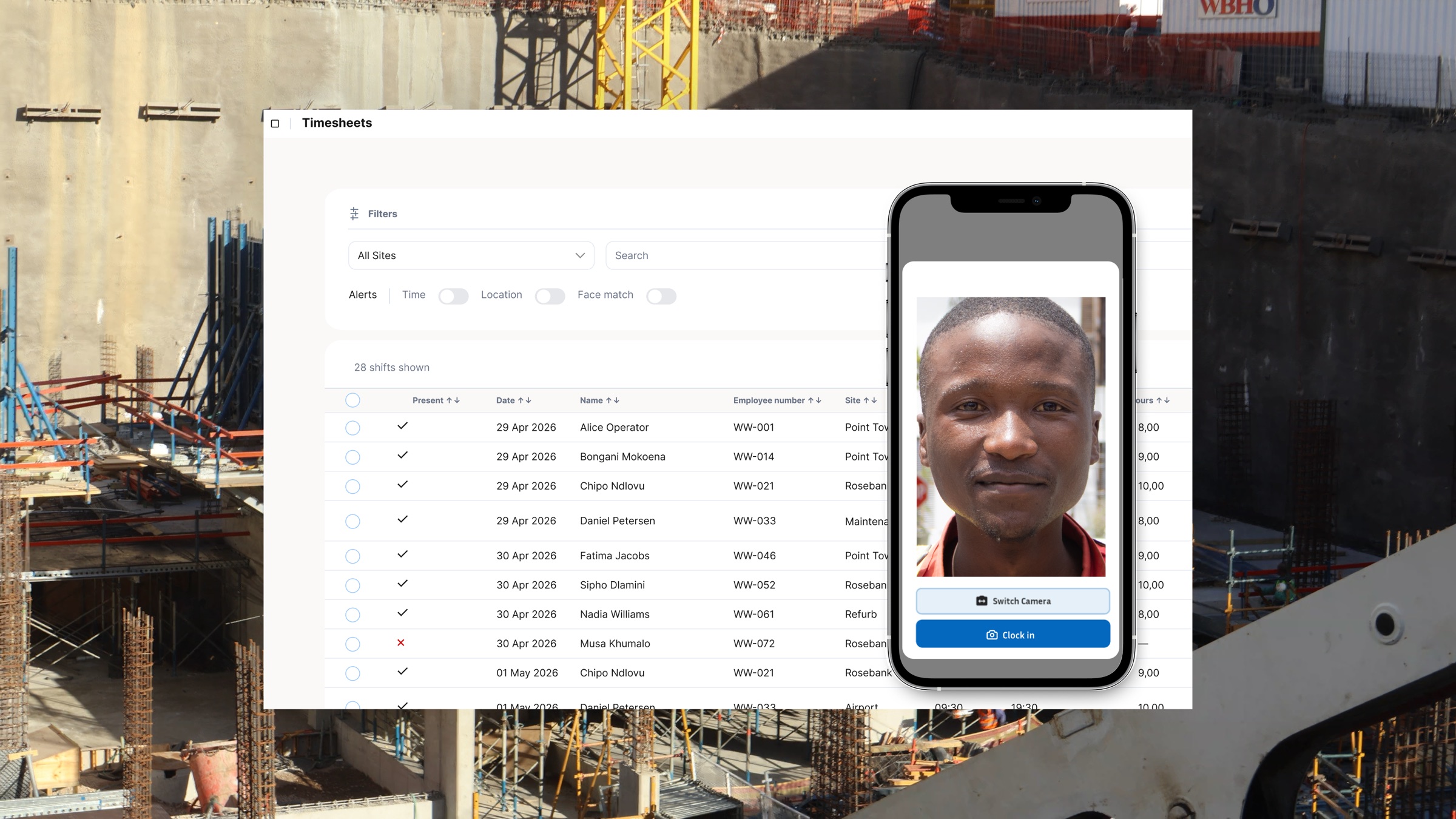
Workweek captures task context at clock-in, tying each time entry to a specific job, site phase, or cost code. That data feeds directly into the Insights dashboards and the Site Breakdown report, giving project managers a clear picture of where hours are going as the build progresses, not after it ends. If you want to understand how tracking hours by job works in practice, that's where to start.
No Per-Site Wage Comparison
A contractor with crews on three concurrent sites sees total payroll, not site-level labour cost per productive hour. That hides the real performance picture. One site might run efficiently while another quietly absorbs unplanned travel time, crew idle time, or supervisory inefficiency. Without a per-site wage breakdown, neither the contractor nor the operations manager knows which site to investigate or which crew configuration to replicate.
Workweek's multi-site management and Site Breakdown report show hours, wages, and wage percentages broken down per site across any date range. That comparison is what separates a confident bid from a guess. For more on the specific features that surface labour waste across sites, see the four multi-site tracking features that matter most.
Overtime Recalculated Manually From Paper Totals
Paper timesheets handed to the payroll team at week's end contain totals, not events. The payroll clerk has to recalculate overtime from scratch: pull the daily hours, check whether the BCEA threshold was crossed, apply the correct 1.5x or 2x multiplier, and adjust for public holidays. Each manual step introduces a new opportunity for error. A worker clocked 46 hours but the spreadsheet shows 44. The payroll run is short. A dispute follows.
Under the BCEA, overtime must be compensated correctly. Errors in either direction create exposure: underpayment invites a CCMA claim, overpayment erodes margin. The BCEA overtime rules for construction are specific enough that manual recalculation from paper totals will eventually produce the wrong number.
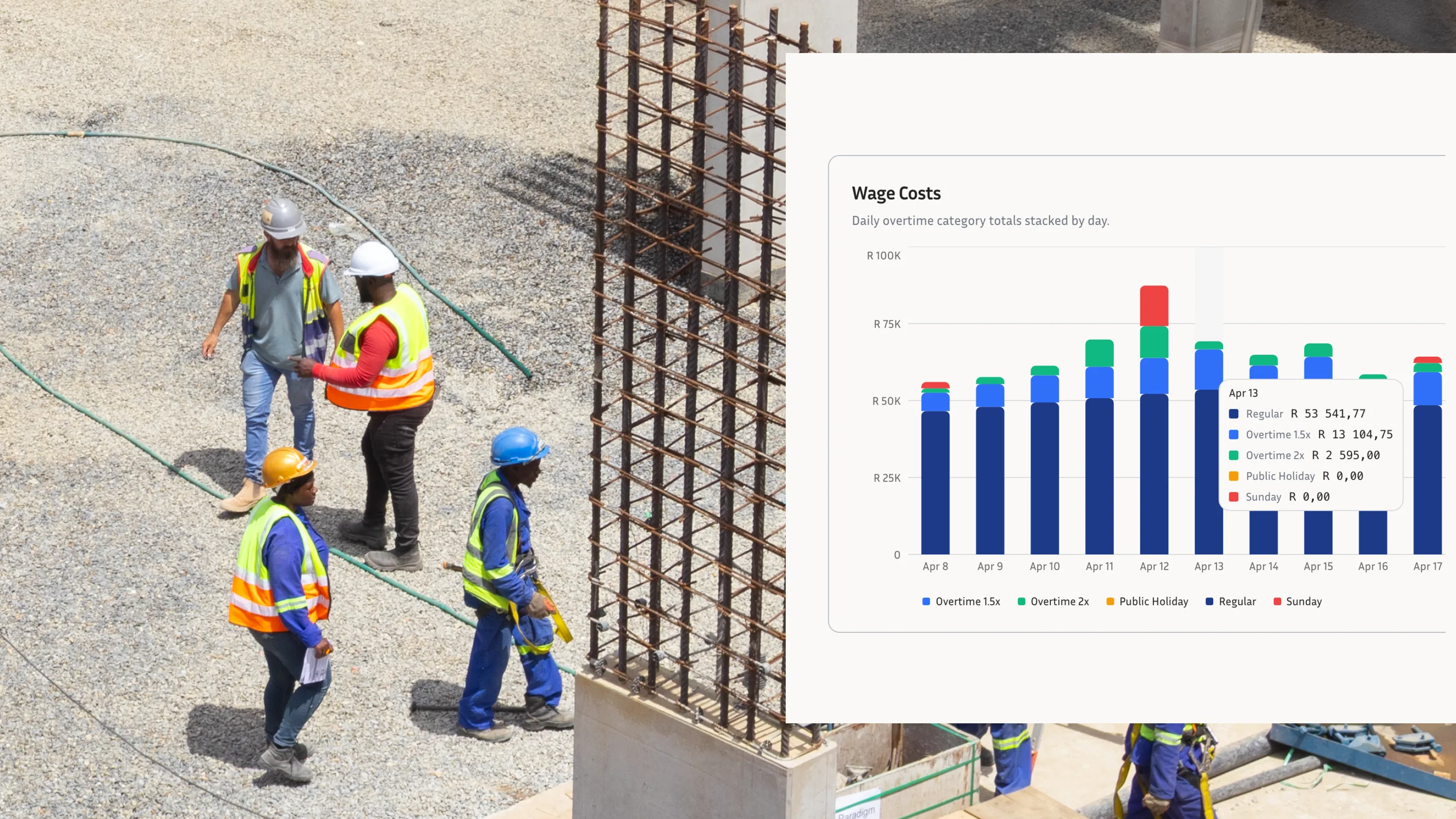
Workweek auto-categorises normal time, overtime, Saturday, Sunday, and public holiday hours at the moment of clock-in, based on the rules configured per site. There is no separate recalculation step.
Labour Cost Reports That Arrive Too Late
Most site managers receive their labour cost report on Tuesday covering the previous week. If a crew ran two days of unplanned overtime at the tail end of that week, the report doesn't reach anyone until the project has already moved on. By the time the overrun surfaces, corrective action means absorbing the cost, rebudgeting, or having an uncomfortable conversation with a client.
Real-time visibility changes the decision point. A site manager who can see Wednesday's hours on Wednesday afternoon can adjust shift patterns, reallocate crew, or flag the overrun before it compounds. The Workweek Insights dashboard gives operations teams that view without waiting for a weekend export. Delayed reporting is one of several time tracking mistakes construction managers make that only become obvious at project close.
Hours Verified on Site, Then Re-Keyed Into Payroll
Many contractors who have moved to a digital clocking system still export time data to a spreadsheet, review and verify it there, and then re-key the totals into their payroll system. Every manual transfer introduces the same risks that digital clocking was meant to eliminate: transposed digits, omitted rows, a worker whose name appears differently across two systems.
The fix is a payroll-ready export from the same system that captured the clock events. Workweek produces one-click exports with normal time, overtime, and special-rate hours already categorised, so what goes into payroll matches what was verified on site. No re-keying, no second source of truth. The comparison to paper processes is stark: paper timesheets versus a digital clocking system covers exactly why the re-keying step is where time theft and payroll errors re-enter the process.
Closing These Gaps Before They Compound
Each of these five gaps produces a different downstream problem: opaque project costs, undetected site inefficiency, BCEA compliance risk, decisions made on outdated data, and payroll errors that persist despite digital clocking. The common thread is a disconnect between the time data captured on site and the verified, structured information that project costing and payroll actually need.
A construction time tracking system that links hours to tasks, reports labour costs per site in real time, handles overtime categorisation automatically, and exports payroll-ready data eliminates each gap at the source. If your current setup is leaving any of these open, book a demo with the Workweek team to see how it fits your sites.