Your payroll software runs on what your clocking system captures. Twelve workers clock in at 7am and out at 5pm: that's 120 hours recorded, and wages will process correctly on Friday. What those hours don't show is whether the time went to the structural phase running three weeks behind, the finishes package already over its labour budget, or a punchlist dragging on since last month. Without job attribution, you have attendance data, not cost data, and the two are not the same thing.
The Gap Between Clocking In and Knowing Where Labour Went
Construction sites run multiple concurrent workstreams. On any given day, your bricklayers might split between two sections, your plumbers are chasing reworks while starting new rough-in, and your general labourers are pulled between concrete pours and material movement. A clocking system that records arrival and departure tells you your workers were on site. It doesn't tell you how those hours broke down across the jobs each carrying their own cost budget.
This gap compounds over time. A job budgeted for 200 labour hours runs to 280, but because hours are not tagged by job code, nobody flags it until the invoice goes out or the project manager reviews the schedule. By then the overrun is already absorbed, and you have no verified data to understand why it happened or prevent the same pattern on the next contract. The problem is not that managers are careless, it is that their time and attendance software was built to answer "was everyone on site?" rather than "what did they work on?"
The distinction matters most when you are running several contracts simultaneously. You might have total weekly hours that look healthy at the business level while one job is quietly burning through labour at double its budgeted rate. A single consolidated hours total won't surface that. Job-level attribution will.
What Job-Level Time Tracking Actually Looks Like in Practice
Job-level tracking tags each block of work to a specific job, cost code, or site phase at the point of clocking. A worker uses their clocking system to start the shift, and the system captures which job or task they are allocated to, either at clock-in, or when they transition between tasks during the day. Managers reviewing the dashboard do not see "worker X logged 9 hours"; they see "worker X logged 4 hours on foundation waterproofing and 5 hours on drainage installation."
That data is the difference between managing headcount and managing labour cost. When your workforce management software shows you that the plastering team has logged 340 hours against a job budgeted for 280, you can investigate, reallocate, or reprice before the job closes. Without job codes attached to clock-ins, the overrun only surfaces at month-end when payroll totals land against invoice values, by which point your options are limited.
Job data also changes how you bid on future work. A contractor who can pull verified labour hours from completed projects, broken down by trade and by job phase, builds estimates with real cost data behind every rate. A contractor working from memory and rule of thumb carries that risk into every new price. The workforce management software running your current projects is also building your cost reference library for every future tender.
Why Most Timesheet Apps Fall Short on Construction Sites
A timesheet app that relies on workers self-reporting hours by job at the end of the shift carries a structural problem: the data isn't verified, and the split across jobs is rarely accurate. A worker who moved between three tasks will often round up one entry and round down another, or log everything under the first job code they touched. The daily total matches the clocking record, but the job breakdown is wrong, and wrong job data produces worse decisions than no job data.
On construction sites the problem is sharper than in office environments. Workers move between areas constantly, tasks change based on material availability and weather, and not every crew member has the digital literacy to update a timesheet app accurately during a shift. A timesheet app designed for a billing consultancy doesn't fit a 60-person civils site. The clocking system for employees used on that site needs to make job attribution simple and automatic at the point of clocking, not retrospective at end of shift when half the day's detail has blurred.
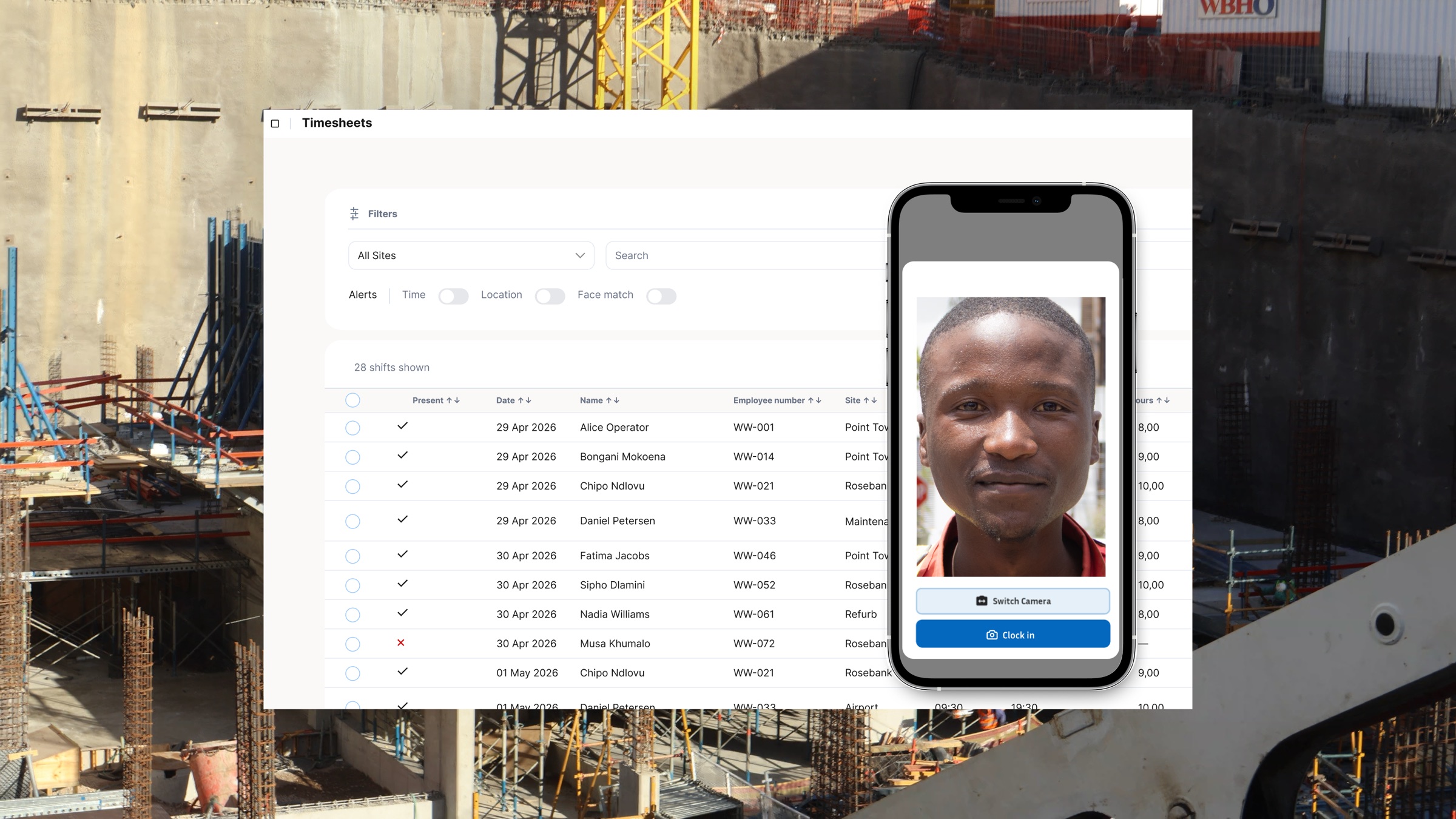
There's also the verification gap. A timesheet app that accepts manual entries has no way to confirm that the person logging the time is the person who actually worked, or that they were on the right site when they did it. Biometric clocking with GPS confirmation closes that gap at the point of capture, so every job-attributed hour is tied to a verified identity in the right location. The data quality that comes out of a verified clocking system is fundamentally different from what a self-report timesheet app produces.
How Workforce Management Software Uses Job Data
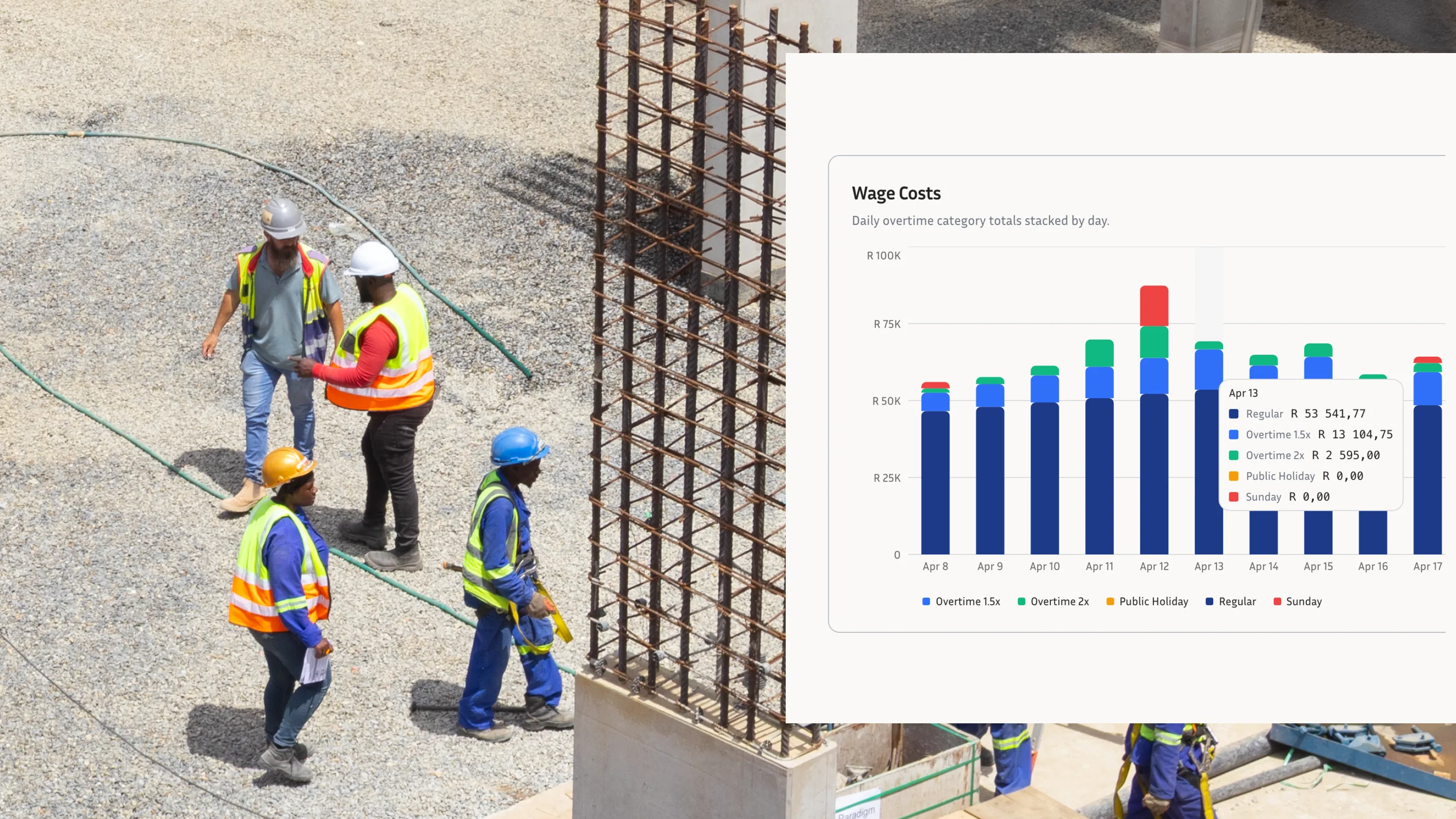
When job-level time data flows into a workforce management software platform, site managers get reports they can act on: labour cost per job, hours per cost code, actual hours versus planned hours across concurrent workstreams. A time and attendance software platform that only shows total hours per person gives you the same information as a paper sign-in register, just in a cleaner format. Job attribution is what separates cost management from attendance management.
The business case is concrete. If you're running a 40-person crew across three concurrent workstreams with a combined labour budget of R480,000 for the month, a 10% labour overrun on one workstream costs you R16,000 you didn't plan for. If your workforce management software flags that overrun at week two, you have time to respond. If it only appears in the month-end payroll total, the money is already gone. You can read more about how labour waste accumulates on multi-site construction projects and what the real numbers look like at scale.
The multi-site insights built on top of job-attributed data also support better crew allocation decisions. When you can see that one site is running at 112% of its planned labour hours while another is at 85%, you can make a reallocation decision grounded in verified numbers rather than gut feel. That's what workforce management software is supposed to deliver, and it only works if the input data, the clock-ins, carries job context.
The Payroll and BCEA Compliance Connection
Job-level time tracking also matters for payroll accuracy and legal compliance. Under the BCEA, employers must keep accurate records of hours worked, and those records need to be defensible in a CCMA dispute. When workers are allocated to multiple jobs in a day, the overtime rate calculation applies to total hours worked, but the distribution across jobs is what determines labour cost per job in your accounts. A clocking system for employees that captures both total hours and job attribution produces records that serve payroll compliance and project management simultaneously.
This matters most when workers exceed the standard 45-hour working week. The BCEA overtime rate applies at that threshold, and when a CCMA arbitration asks which hours were ordinary time and which were overtime, the job-level record provides a complete picture of what the worker actually did. Businesses running only a basic attendance management system without job attribution will answer that query with a daily total and nothing more, which is legally compliant but commercially useless. A system capturing job codes gives you BCEA compliance with the added layer of cost accountability that construction managers actually need.
For businesses preparing clocking records for payroll software like SimplePay or Sage, job codes can be exported with cost-centre fields for the payroll run. Labour costs allocate to the right cost centre from the same verified source record rather than requiring a manual reallocation in your accounts. It removes a step, and it removes the compounding errors that manual reallocation introduces over weeks of project activity.
Making It Work Operationally Across Your Sites
The implementation challenge is operational, not technical. Workers need a clocking system for employees that makes job selection simple at clock-in, not a multi-step process they'll skip at 6am when they're cold and in a hurry. The system needs to present the jobs active on that site that day, not a dropdown of every cost code in the company's ERP. Simplicity at clock-in drives data quality; complexity drives workarounds, and workarounds produce the same inaccurate job data you were trying to fix.
For managers running multiple sites simultaneously, the system needs to aggregate job-level data across all sites in a single view. You shouldn't need to log into three separate reports to understand whether total labour hours across all projects are tracking to budget. A workforce management software platform that normalises that data into one dashboard turns multi-site management from a coordination challenge into a monitoring task.
Facial clocking and GPS verification add a trust layer to the job attribution data. When each clock-in is matched to a verified identity and a confirmed location, the job code that follows is attached to a real person who was actually on site. A biometric clocking approach that captures a face match at clock-in and logs GPS coordinates removes the risk that supervisors are clocking workers in remotely, or that hours are being booked to jobs workers were never physically present on.
Knowing your team clocked 320 hours this week is the starting point, not the finish line. Knowing exactly which jobs those hours went to, verified at the point of clocking, is what lets you manage cost, protect margin, and bid the next contract with confidence. If your current time and attendance software only tells you the hours, it's time to ask what else you're missing.
Book a demo with WorkWeek to see how job-level time attribution works on South African construction sites.