The site has 80 workers. Fourteen started this week. Four are leaving on Friday. That rotation never stops on a seasonal construction crew, and no clocking setup designed for a permanent office workforce was built for it.
Standard time and attendance software assumes your workforce is largely the same from one month to the next. High-turnover construction sites do not work that way. Day-hire labourers, seasonal civils crews, and short-term contractors rotate in for two or three weeks, then move to the next project.
Every compliance requirement still applies: verified clock-ins, accurate hours, BCEA-compliant records, and clean payroll data for SARS. The clocking setup just needs to handle all of it under conditions of constant crew churn.
These are the five features that separate a clocking setup built for high-turnover construction from one that was never designed for it.
1. Rapid Onboarding That Gets a New Worker Clocking Before the Shift Starts
A new worker arrives at 07:00. The foreman has ten other things happening. If the clocking setup requires a desktop login, an emailed invite link, and a back-office admin step, that worker starts the shift unregistered. By end of week, you have five workers with no clocking records, and the payroll run turns into a reconstruction exercise.
Rapid onboarding in a clocking system for employees means a site manager or foreman registers a new worker directly from a phone or tablet in under two minutes. Name, ID number, phone number, photo capture: done. That worker is live and clocking before the site briefing ends. No desktop software, no back-office admin, no waiting on HR.
For high-turnover sites, this single feature determines whether your time records stay clean or fall apart. Any employee clocking system that requires off-site administration to activate new workers was not designed for an environment where 10 new workers can arrive on a Monday morning.
The faster the onboarding, the fewer gaps enter your clocking data. Those gaps compound: missing start dates create disputed hours, disputed hours delay payroll, and delayed payroll creates retention problems on a crew that is already short-term.
2. Offline-First Clocking That Does Not Need a Data Signal to Work
Construction sites in South Africa do not come with reliable connectivity. Remote civils projects, basement work on urban sites, and operations in peri-urban areas share one recurring problem: the data signal drops at exactly the wrong moment. A clocking setup that requires a live internet connection to record a clock-in will fail repeatedly on these sites.
Offline-first clocking means the device stores the clock-in locally and syncs when connectivity returns. The worker taps in or out, the event is recorded on the device, and nothing is lost. When the signal comes back, the records upload automatically with no manual entry required.
This also removes data costs from the equation. When the clocking app runs data-free, it draws nothing from a worker's personal mobile data allowance. That matters on a site where workers use their own phones and have legitimate reason to resent a clocking system that costs them airtime.
For seasonal crews specifically, the offline-first requirement is non-negotiable. A project in a remote area that relies on cloud connectivity for clocking records will produce incomplete data across the full duration of the contract.
3. Identity Verification That Works Without Fixed Biometric Hardware
Traditional biometric clocking systems require hardware: fingerprint scanners, retina readers, dedicated wall-mounted terminals. On a permanent site with a stable workforce, that investment is justifiable. On a high-turnover site where the crew rotates every two to three weeks, fixed biometric hardware creates a portability problem and a cost-per-deployment problem.
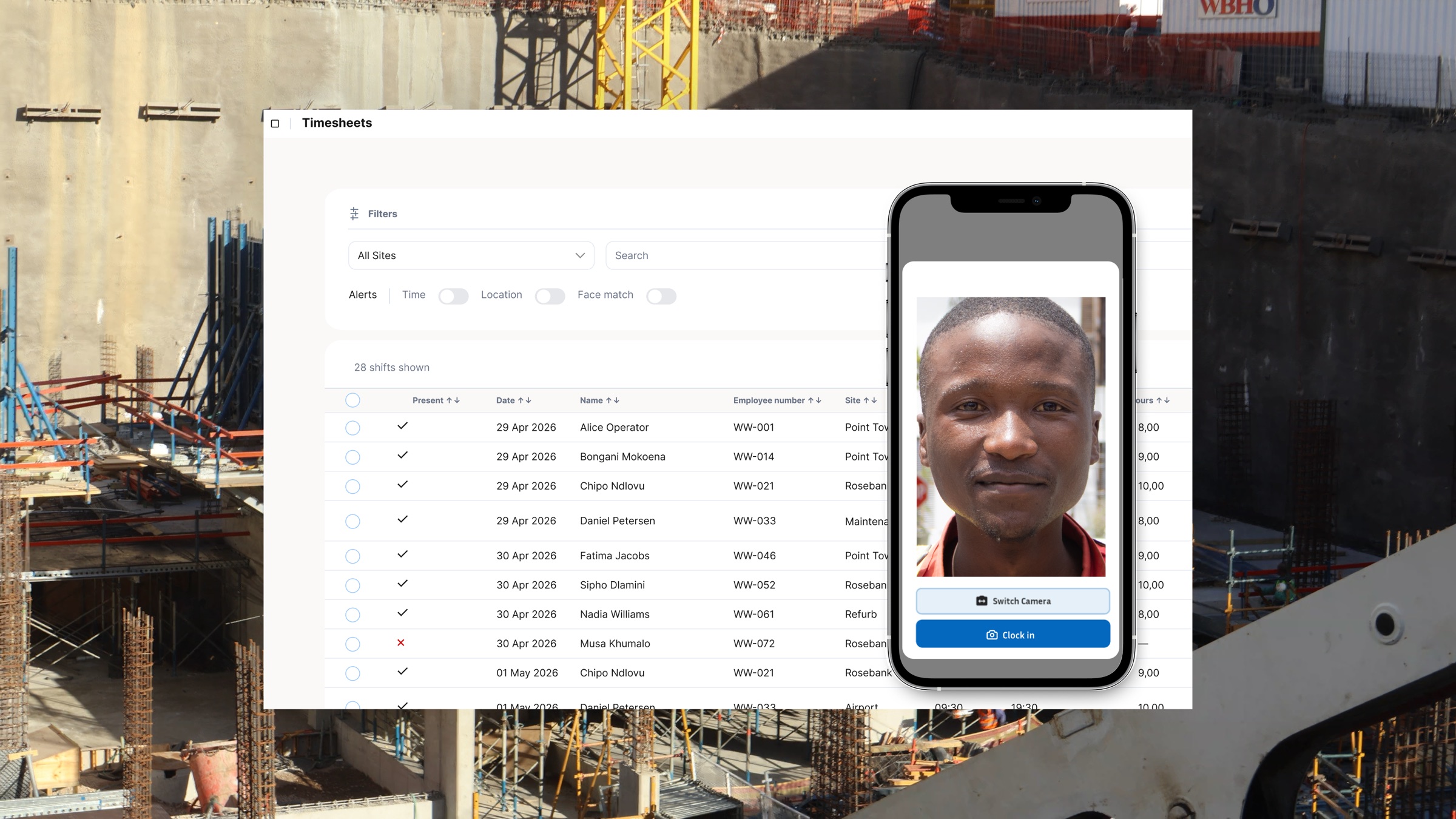
Facial clocking via a shared site tablet removes both constraints. A worker matches their face against their registered profile photo using the tablet or smartphone managing all site clocking. No fingerprint reader required, no dedicated hardware per access point. The match takes seconds and the record is verified.
The critical point is that verification must be linked to a specific registered identity from day one. Ghost hours on high-turnover sites happen when workers clock each other in, particularly when the crew is large and supervision is spread thin. A photo-based identity verification step at clock-in breaks the buddy punching loop without requiring a costly biometric terminal installation for each new site deployment.
For sites where workers clock in from their own devices rather than a shared tablet, the verification step still applies. The system checks the face against the registered profile before the clock-in records. No match, no record.
4. GPS Geofencing Locked to Each Specific Project
High-turnover sites often run alongside other active projects. A worker who knows the system can clock in from a neighbouring site or a vehicle parked two blocks away. GPS geofencing removes that possibility by defining a radius around each project; any clock-in attempt from outside that radius is rejected or flagged automatically.
This matters most when workers move between projects. A labourer on Project A for two weeks and Project B for the next two weeks needs clocking records that reflect exactly where they worked and when. Without geofencing, those records require manual cross-verification and are far easier to dispute.
For businesses running multi-site operations, project-level GPS geofencing gives the operations manager a clear view of which workers are on which site at any given time. The geofence is set once per project at activation. Workers do nothing extra; the location check runs automatically when they tap in or out.
Project-based time tracking and GPS verification across multiple sites also supports cost-code allocation and cross-site labour reporting. The mechanics are straightforward for most construction operations once each project location is set up correctly.
5. Automated TRN Flagging Before the Payroll Run
SARS now rejects EMP501 reconciliations when an employee who must have an Income Tax Reference Number does not have a valid one on file. For high-turnover construction sites, this is an acute problem. Seasonal workers, day-hire labourers, and short-term contractors frequently do not have their TRN registered or captured at the point of onboarding. Run payroll without catching this, and you face rejected filings, penalty exposure, and a scramble to locate workers who may have already moved to another site.
An employee clocking system that cross-references clocking records against payroll data before the run catches TRN gaps before they reach SARS. When a worker has accumulated hours in the clocking system but has no TRN against their profile, the system flags them at the pre-payroll check stage, not after the EMP501 submission bounces back.
The practical workflow works like this: a worker completes two weeks on-site, hours are verified and ready for payroll, the pre-payroll check flags the missing TRN, and the site manager or HR admin captures the IT77 registration before submission. That process takes minutes. Finding the same gap after SARS rejects the filing takes days and carries penalty risk under the Tax Administration Act.
TRN verification is now part of construction payroll compliance, and the exposure on seasonal crews is consistently higher than site managers expect. The right time and attendance software catches TRN gaps at the point where they can still be fixed: before the EMP501 is filed.
Site Manager Decision Checklist
Before you shortlist a clocking system for employees on a high-turnover construction site, work through these six questions. A no on any of them is a gap that will produce payroll problems on a site where the crew changes every two to three weeks.
- Can a foreman or site manager register a new worker from a mobile device in under two minutes?
- Does the system record clock-ins offline and sync automatically when connectivity returns?
- Is each clock-in tied to a verified identity, not just a device login or PIN?
- Does GPS geofencing restrict clocking to each specific project location?
- Does the system flag missing TRNs before the payroll run, not after SARS filing?
- Can the full clocking setup be deployed at a new site without specialist IT support?
Any workforce management software positioned for construction should clear all six without conditions. A setup that scores four out of six may work adequately on a stable site. On a high-turnover site, those two gaps will cost time, money, or both.
The right time and attendance software for this environment does not add complexity. It removes the manual recovery steps that break down when the crew rotates every fortnight.
The Setup That Keeps Payroll Clean When the Crew Changes Every Week
Payroll chaos on high-turnover construction sites is rarely caused by bad workers or careless managers. It comes from clocking setups built for stable workforces and then applied, without adjustment, to environments that turn over a significant part of their crew every fortnight. The setup breaks under that pressure because it was never designed for it.
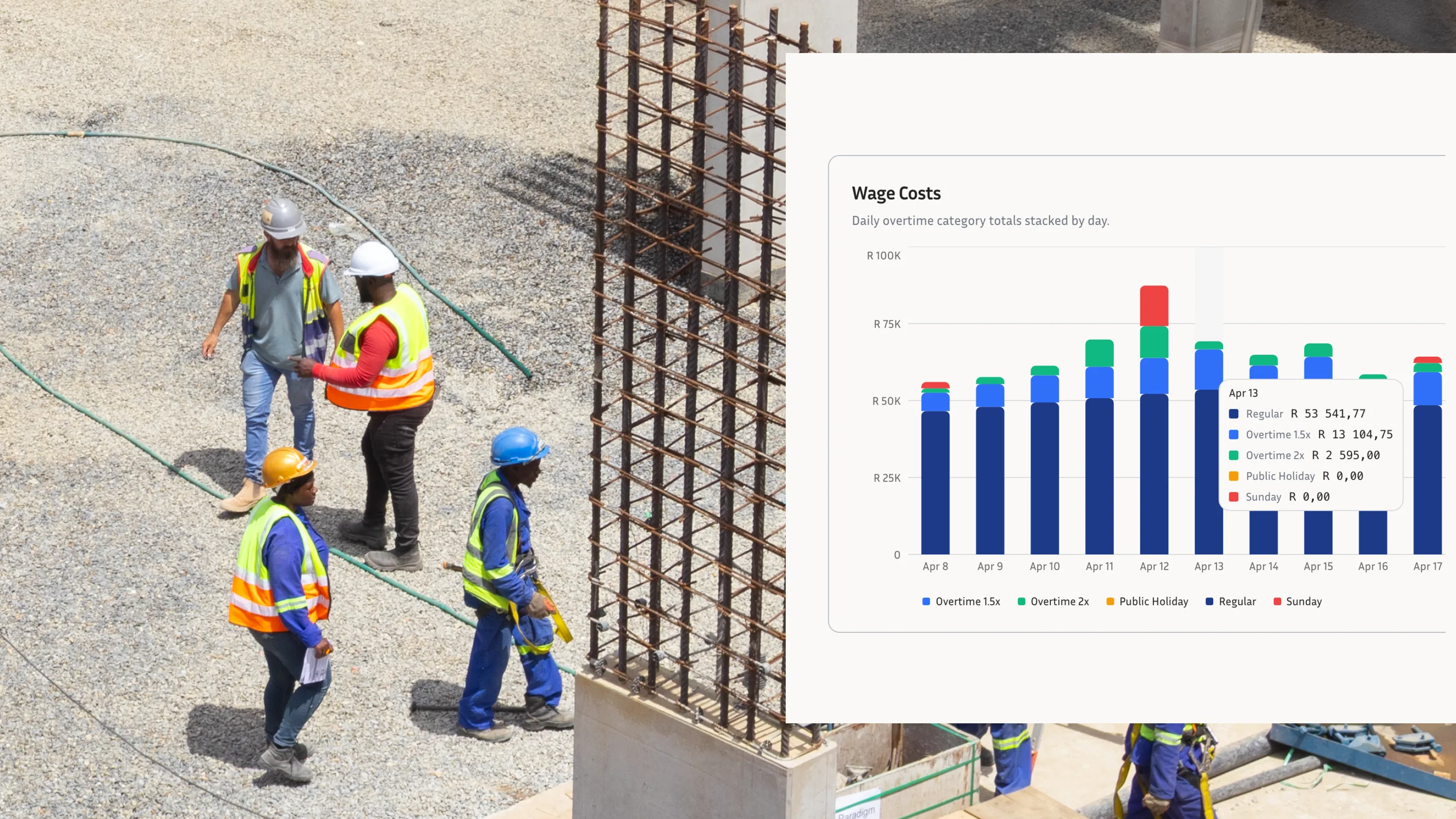
Each of the five features here addresses one specific failure point: onboarding gaps that leave workers unregistered, connectivity drop-outs that create missing records, buddy punching that inflates hours, location fraud that misattributes time to the wrong project, and TRN gaps that cause SARS filing rejections. An employee clocking system that covers all five gives a site manager the foundation to run accurate, compliant payroll regardless of how frequently the crew changes.
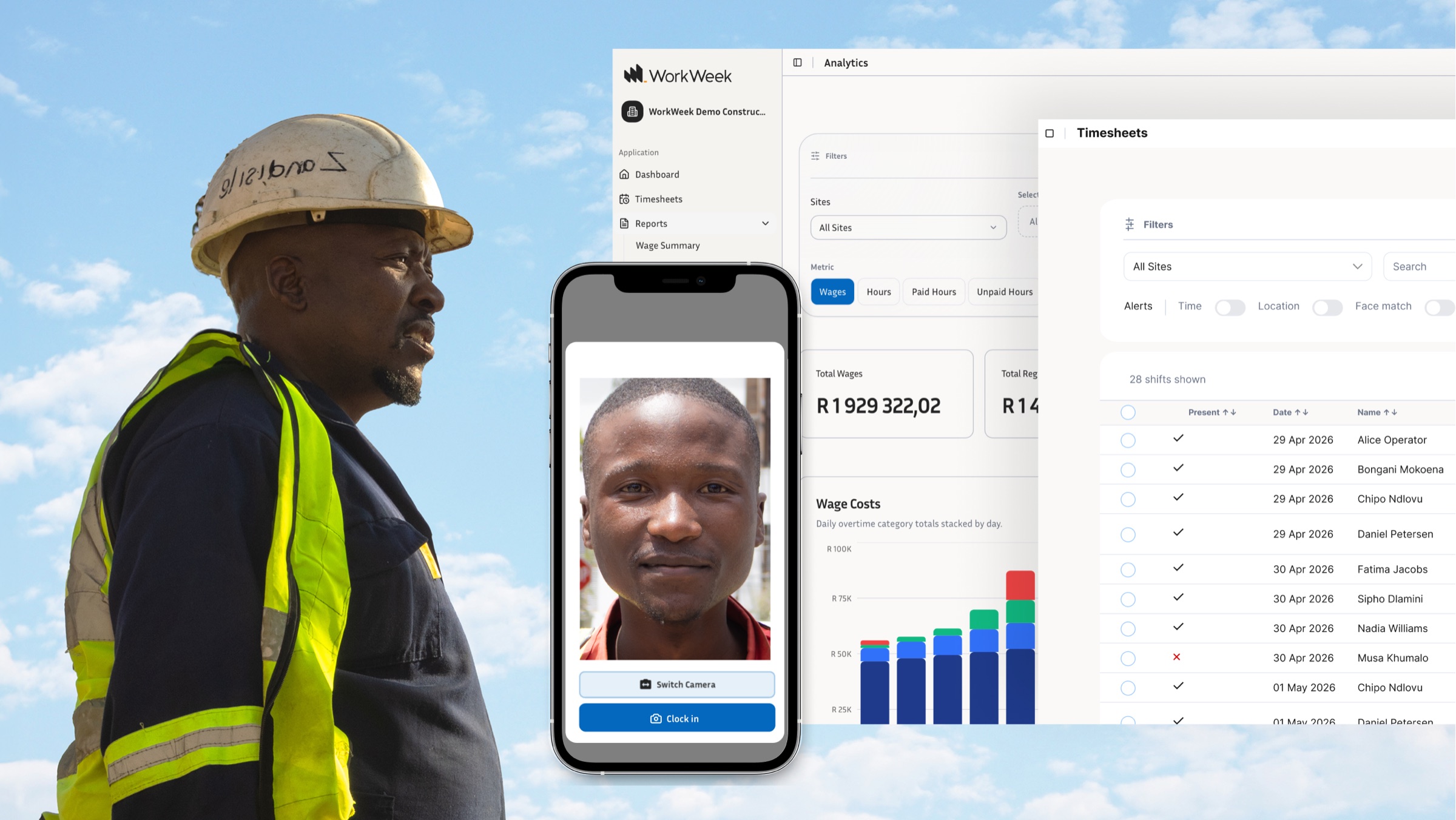
Any clocking system for employees working on seasonal or day-hire construction in South Africa should meet all five without requiring workarounds. WorkWeek helps teams deploy that setup across real construction sites, with verified clock-ins, offline capture, GPS controls, and payroll-ready data in one place.