You start a new construction site on a Monday morning. Forty workers are queueing to begin, the site WiFi is two days away from being installed, and cellular signal drops to nothing the moment you walk past the gatehouse. A clocking system that needs live internet access is useless before the first concrete is poured. If you have asked whether an employee clocking system can handle this, the answer is yes, but only if it is built the right way.
Signal Problems Are a Construction Daily, Not an Edge Case
Construction sites are not offices. They are often in peri-urban areas, on the outskirts of developing towns, or in early-phase development where infrastructure arrives after the workforce does. Underground slab work, basement excavations, and bulk earthworks in dense industrial zones can cut cellular signal completely, even in major metros. For any business running crews across multiple sites, the odds of at least one site having unreliable connectivity on any given day are not low.
South Africa's mobile data coverage is strongest in suburbs, CBDs, and established commercial nodes. Construction activity in the Northern Cape, along remote sections of the N14 corridor, in parts of KwaZulu-Natal, and across large stretches of the Eastern Cape is often nowhere near those coverage nodes. Signal is a variable, not a given, and any attendance management system that treats it as a given will let you down regularly.
The consequences go beyond inconvenience. When clocking fails, workers start unchecked. Hours go unrecorded. Payroll gets reconstructed from paper or memory at week's end, and that is where disputes begin, where CCMA exposure builds, and where payroll errors compound into real financial loss.
What "No Signal" Actually Covers
When construction managers talk about no signal on site, they usually mean one of three things: no site WiFi, no mobile data signal, or a complete connectivity blackout where both are absent. Cloud-dependent clocking systems fail under all three conditions because they need a live connection to a server to write a record.
The failure mode is straightforward. When a worker clocks in using a cloud-first system, the device sends the record to a remote server, the server confirms receipt, and the record is stored. Remove the server connection and the record is never created. On a site where signal drops in and out, this produces attendance gaps that are difficult to reconcile after the fact.
Offline-first systems work from the other direction. The clock-in record is written to the device's local storage the moment the worker clocks in. When connectivity returns, those locally-stored records sync to the cloud automatically. From the worker's perspective, the process is identical whether the site has perfect signal or none at all.
How a Clocking System for Employees Works Without Any Connection
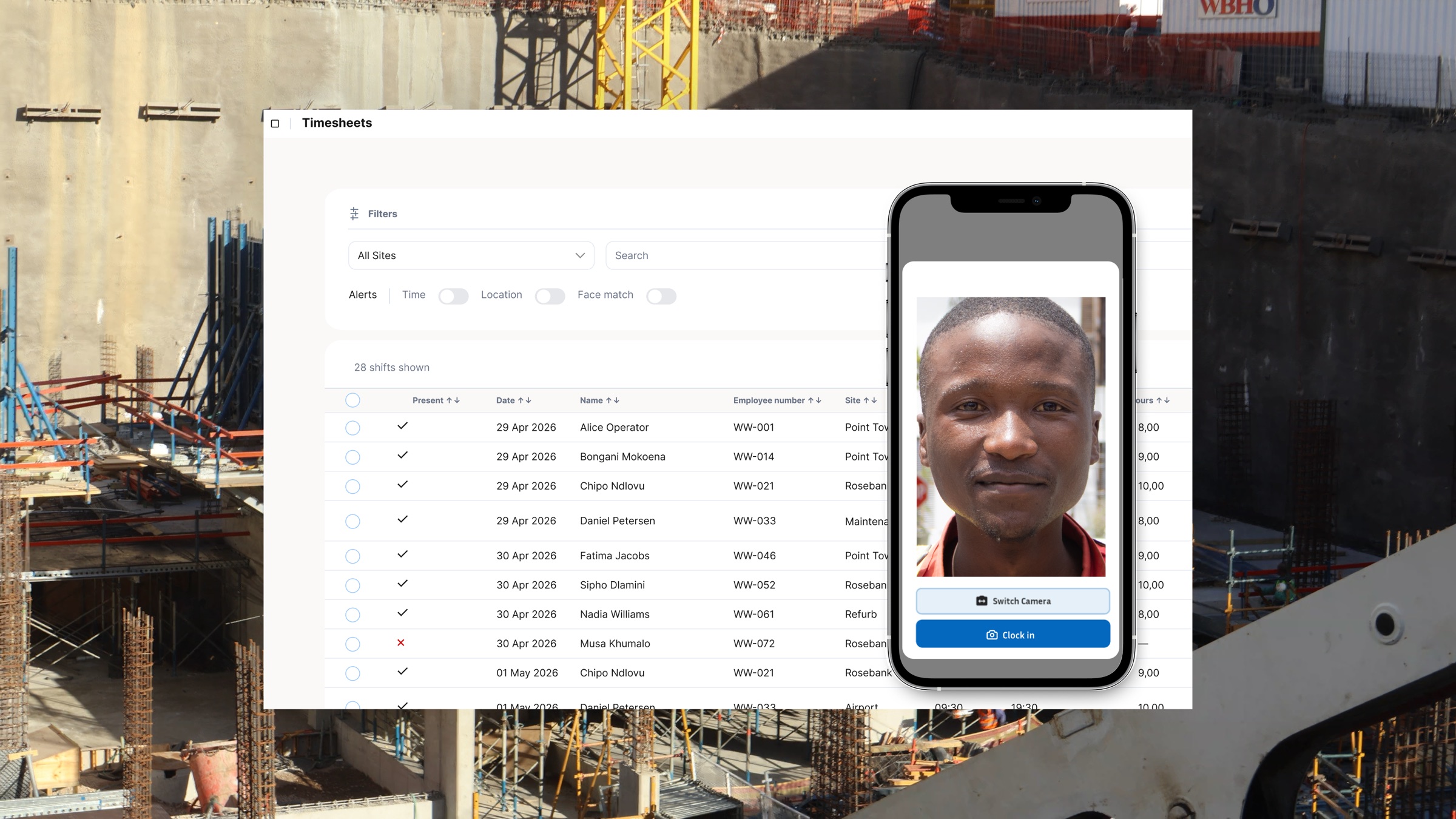
When a worker clocks in using an offline-capable clocking system for employees, three things are captured at the point of clock-in: a timestamp, a GPS coordinate, and selfie evidence for identity verification. Capturing that evidence does not require an active internet connection.
The GPS point is worth clarifying specifically. GPS operates via satellite signals received directly by the device's hardware. A device with GPS hardware can record an accurate location in a complete cellular dead zone, provided it has a clear view of the sky. The absence of cellular signal has no effect on GPS accuracy.
Facial clocking in an offline workflow should capture the worker's selfie, timestamp, and GPS position immediately, then preserve that record until it can sync. In WorkWeek's model, the offline device stores the clock-in evidence locally and syncs it once connectivity returns, with facial verification processed against the enrolled profile after the record reaches the backend. The key requirement is that no attendance record is lost simply because the site was offline.
When signal returns, all locally-stored records sync to the cloud dashboard automatically. Each record carries the original capture timestamp, not the sync time. A clock-in recorded at 06h30 on a site with no signal appears in the dashboard as 06h30, not as the 14h00 time when the device eventually reconnected.
Where Biometric Clocking Systems Differ on Remote Sites
Traditional hardware-based biometric clocking systems, the fingerprint readers and fixed facial recognition terminals installed at site entrances, typically require a server connection to process a match. The device captures biometric input, sends it to the server for comparison against the stored template, and the server returns a match or rejection result. Remove the server connection and the terminal cannot confirm identity.
Some hardware terminals have a local cache that holds recent records temporarily. The issue is that the match itself still depends on the server, meaning a terminal that loses its server connection during a shift may clock workers in without verifying who they are, or refuse entry entirely. Neither outcome is acceptable on a busy construction site. Comparing phone-based and hardware systems on this dimension is useful for any business deciding which clocking infrastructure to invest in for remote operations.
A phone-based biometric clocking system with offline-first architecture removes the record-capture dependency. The selfie, timestamp, and GPS evidence are written on the device regardless of what the network is doing, then synced for central verification once connectivity returns.
BCEA Compliance Does Not Pause When Signal Drops
BCEA Section 31 requires employers to keep records that include time worked and remuneration, and those records must be retained for three years. Those records are the primary evidence in any wage dispute that reaches the CCMA. A clocking system that drops records when connectivity is unavailable leaves the employer without the record trail Section 31 is meant to preserve, regardless of what the product's marketing says about compliance.
Offline-first record-keeping satisfies this requirement because the record is created at the point of clock-in, stored locally, and synced to central storage when connectivity returns. The timestamp is immutable: it reflects when the worker clocked in, not when the record reached the server. That distinction matters in a dispute where the question is whether a specific worker was on site at a specific time on a specific day.
For the records to hold up as CCMA evidence, the sync process also needs to be auditable. Each record should show the original capture time, the GPS coordinate at capture, and the identity verification result. A system that overwrites the capture timestamp with a later sync time, or shows gaps in the record chain, weakens the evidentiary value of the data when you need it most. Choosing the right employee clocking system for South African sites means checking specifically how offline records are timestamped and stored before any other feature.
Setting Up a Site with No Signal from Day One
The offline workflow starts with onboarding. Before workers can use facial verification, each worker needs an enrolled profile in the system. Once that setup is complete, the site device can capture selfie, timestamp, and GPS evidence without a connection for as long as the site requires, then sync the records for verification when connectivity returns.
The site manager or supervisor typically holds the clocking device throughout the shift. On a site with zero signal, the device logs all clock-ins to local storage as the day runs. When the manager drives to an area with signal, or when connectivity is restored on site, the sync happens automatically in the background without any manual action required.
For businesses managing crews across multiple sites with different signal conditions, this model gives the central office a complete and accurate view of attendance across all sites, once records sync, without anyone collecting data from paper registers or making calls to check who was on site that day.
Data-Free and Offline Are Not the Same Thing
These two terms often get used interchangeably, but they describe different capabilities. Data-free clocking means the app uses zero mobile data for the worker, usually through a zero-rated access arrangement with a mobile network operator. Offline clocking means the system works with no connectivity at all. A system can be data-free but not offline-capable, which means it works without drawing from a worker's data bundle but still fails completely if there is no signal.
Both features matter for South African construction businesses. Data-free time tracking addresses the fairness and cost problem of workers paying to clock in on their own phones. Offline capability addresses the operational problem of sites where signal is unreliable or absent. A clocking system for employees that offers both handles the full range of connectivity conditions South African construction sites actually face, from patchy rural signal to complete blackouts during basement pours.
The right question to ask any system vendor is not whether their system works offline. It is how the offline records are stored, when the timestamps are set, and what happens if a sync fails. Those three answers tell you whether the offline mode is genuinely reliable or a marketing checkbox that breaks down under real site conditions. WorkWeek is built for this: offline clocking, selfie evidence for facial verification after sync, GPS capture without cellular signal, and automatic sync to a BCEA-compliant central record are standard features, not add-ons. To see how it handles a real site with no connectivity, book a demo with the team.