So you have started looking into time tracking and workforce management software and you are wondering whether WorkWeek is the right fit for your business.
Introducing a new system can feel like a big shift, especially when your workforce is spread across multiple sites or includes employees who are not always behind a desk. That is exactly why we have gathered the most frequently asked questions we receive, from getting started and employee setup to offline use, data costs, compliance, and payroll.
Choosing the right technology can help you save time, reduce payroll errors, improve compliance, and build better trust between employers and employees. This guide is designed to help you understand how WorkWeek works in practice and whether it suits your operation.
How quickly can we get started with WorkWeek?
Getting started with WorkWeek is intentionally straightforward. Most businesses are fully set up and tracking time within a few days, without the need for complex configuration or lengthy training.
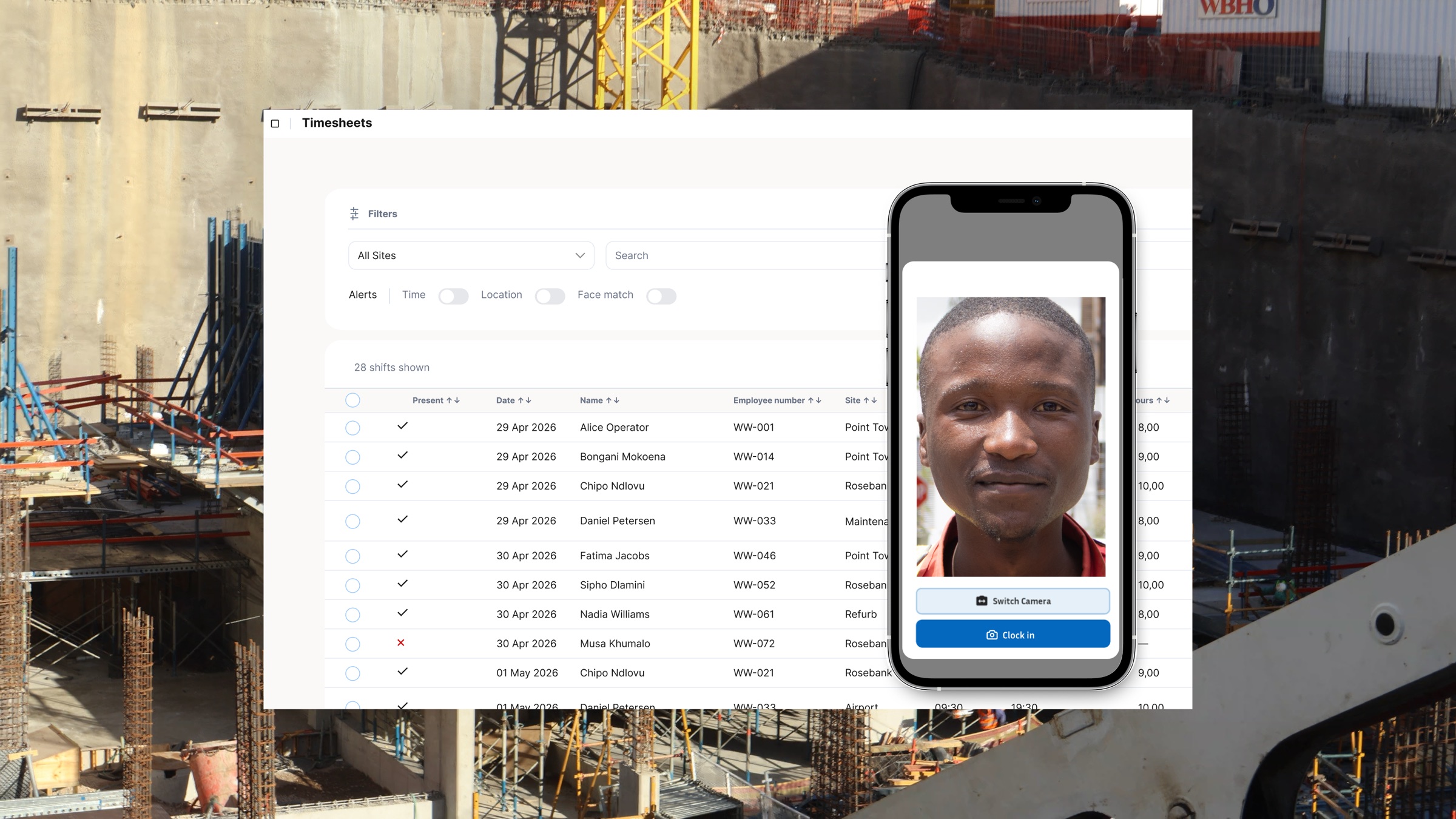
WorkWeek is built as a mobile-first solution for on-site and field-based teams, allowing employees and supervisors to start using it immediately on their phones. At the same time, managers and administrators have access to a dedicated web-based dashboard where all attendance, location, and time data from site is captured and organised in one place.
Once your account is live, you can:
- Add employees individually or in bulk
- Set up sites, projects, or locations
- Define clock in rules and verification requirements
- Start capturing accurate time and attendance data from day one
This approach ensures you begin seeing value quickly, whether that is cleaner payroll data, better visibility across sites, or fewer disputes around hours worked.
Do employees need mobile data to use the WorkWeek app?
No. WorkWeek's on-site mobile app is data-free.
Employees and supervisors can use the app to clock in and out without needing mobile data or airtime. As a business, you do not need to buy data bundles for your workforce, and employees are not expected to use their own data to do their jobs.
By removing data costs, WorkWeek eliminates one of the biggest barriers to adopting digital time tracking on site. This supports consistent usage across sites and teams, resulting in reliable, complete time data every day.
Do we need any special hardware?
No. WorkWeek is designed to work in real on-site conditions, without requiring specialised hardware or expensive equipment.
WorkWeek is a mobile-first solution, which means employees can clock in and out using their own smartphones when that suits your operation. However, in many environments, it is often more practical for a supervisor to manage attendance for the entire team.
With WorkWeek, a supervisor can clock in an entire team on site using a single smartphone. One person confirms attendance for everyone present, directly at the site, without needing each employee to have their own device or data connection.
All clock-ins are captured instantly and reflected in the admin dashboard, giving head office immediate visibility into who is on site and working. This speeds up site start times, reduces confusion, and ensures consistent, verified attendance data across teams.
Is there a minimum number of employees to use WorkWeek?
No. WorkWeek supports businesses of all sizes, from small teams to large, multi site operations.
Many customers start with a single site or project and expand as their workforce grows. The platform scales with your operation, allowing you to add employees, locations, and reporting layers without needing to change systems later.
What happens when an employee leaves?
When an employee leaves your business, their profile can be archived in seconds.
This keeps your active employee list clean while preserving historical time and attendance records for payroll verification, reporting, and compliance purposes. You maintain a clear and auditable record of work completed.
Does WorkWeek work without internet access?
Yes. WorkWeek is designed for real world site conditions where internet access is unreliable or unavailable.
Employees and supervisors can clock in and out while offline using the mobile app. Data is stored securely on the device and automatically syncs once connectivity is restored. This ensures no time is lost and removes the need for manual catch ups later.
Combined with the data-free app, this means WorkWeek continues working regardless of signal quality or data availability.
How do you verify attendance on site?
WorkWeek uses practical verification tools that improve accuracy and accountability, without creating unnecessary friction for on-site teams.
Verification happens in two places: at the moment of clock in on site, and afterwards in the admin dashboard.
On site, WorkWeek supports:
- Geolocation-based clock-ins, confirming that the employee is physically at the correct site when they clock in
- Face match verification, capturing a facial image at the time of the clock event to confirm identity
Once clock-ins are captured, WorkWeek runs face matching in the admin dashboard. This allows supervisors and administrators to review and confirm that the person who clocked in matches the employee profile on record.
In addition, every clock event is automatically timestamped, creating a clear and consistent record of when each employee started and ended work. These timestamps form part of a reliable audit trail that supports payroll accuracy, dispute resolution, and compliance.
Together, these measures give managers confidence that attendance data reflects what actually happened on site, while maintaining trust and transparency with employees.
Which industries is WorkWeek best suited for?
WorkWeek is built for labour-intensive industries where teams work on site across multiple locations rather than behind desks.
This includes:
- Construction and contracting
- Events and temporary staffing
- Security services
- Manufacturing and industrial operations
- Agriculture and farming operations
WorkWeek is particularly effective for seasonal labour, mobile teams, and fluctuating workforce sizes. Managers gain a single, reliable view of attendance and labour data across all sites from the admin dashboard.
Can WorkWeek help with payroll?
Yes. WorkWeek simplifies payroll preparation by accurately calculating hours worked based on verified clock-ins and clock-outs captured on site.
Instead of relying on paper timesheets or manual spreadsheets, payroll teams can generate clean reports directly from the dashboard. This reduces errors, saves administrative time, and helps ensure employees are paid correctly and on time.
Can we track attendance and time per site?
Yes. WorkWeek provides clear reporting by site, project, date, and employee.
This visibility allows you to:
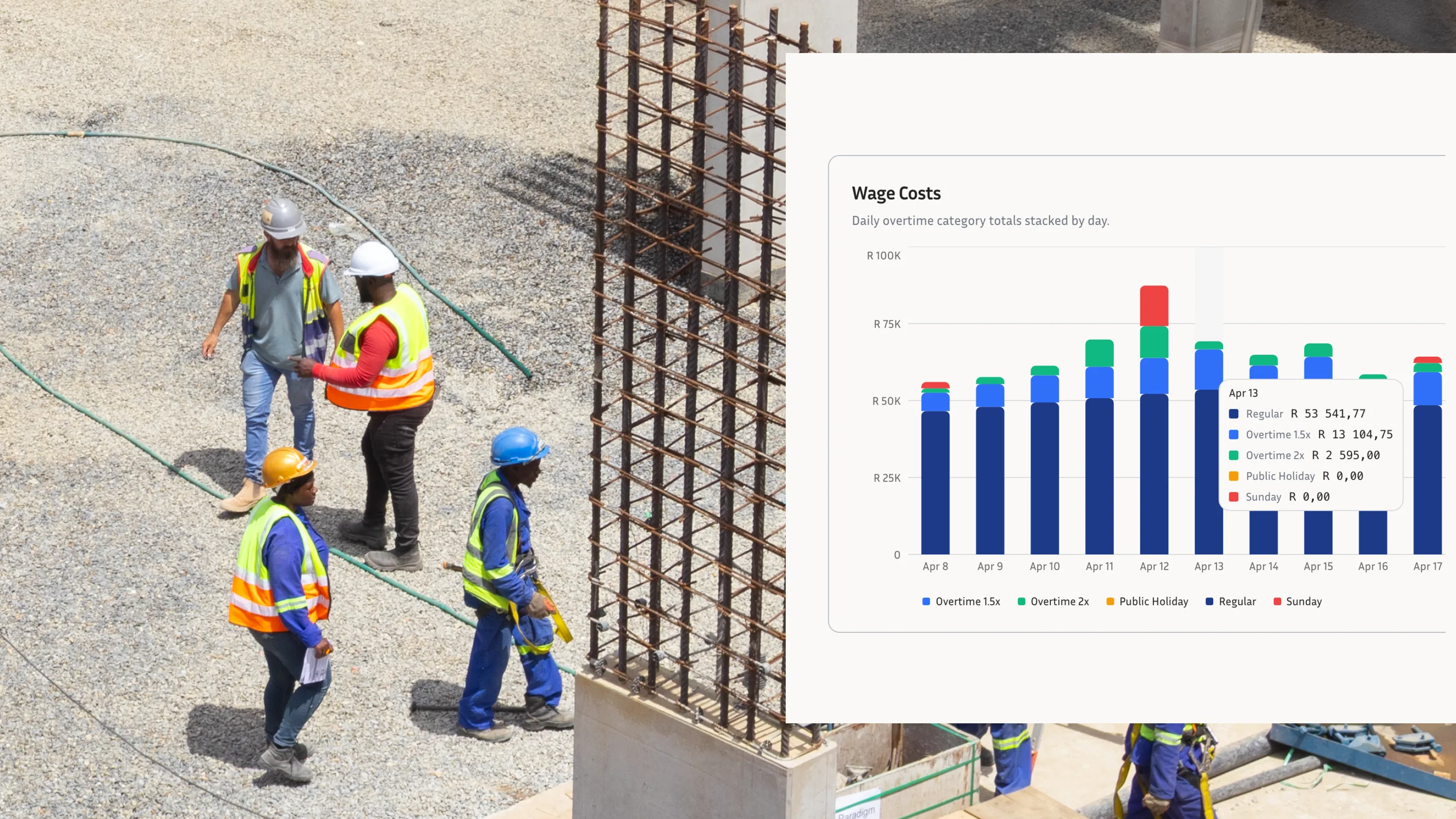
- Understand labour costs at a site or project level
- Identify attendance patterns and trends
- Spot issues early before they impact productivity or budgets
By centralising all data from site into one dashboard, WorkWeek turns time tracking into a practical operational tool rather than an admin burden.
How does WorkWeek support labour compliance?
Accurate time and attendance records are essential for labour compliance and fair pay practices.
WorkWeek supports compliance by capturing verified timestamps, locations, and attendance data in a consistent way. This creates a reliable audit trail that can support dispute resolution, inspections, and internal reviews, while promoting transparency and accountability across the workforce.