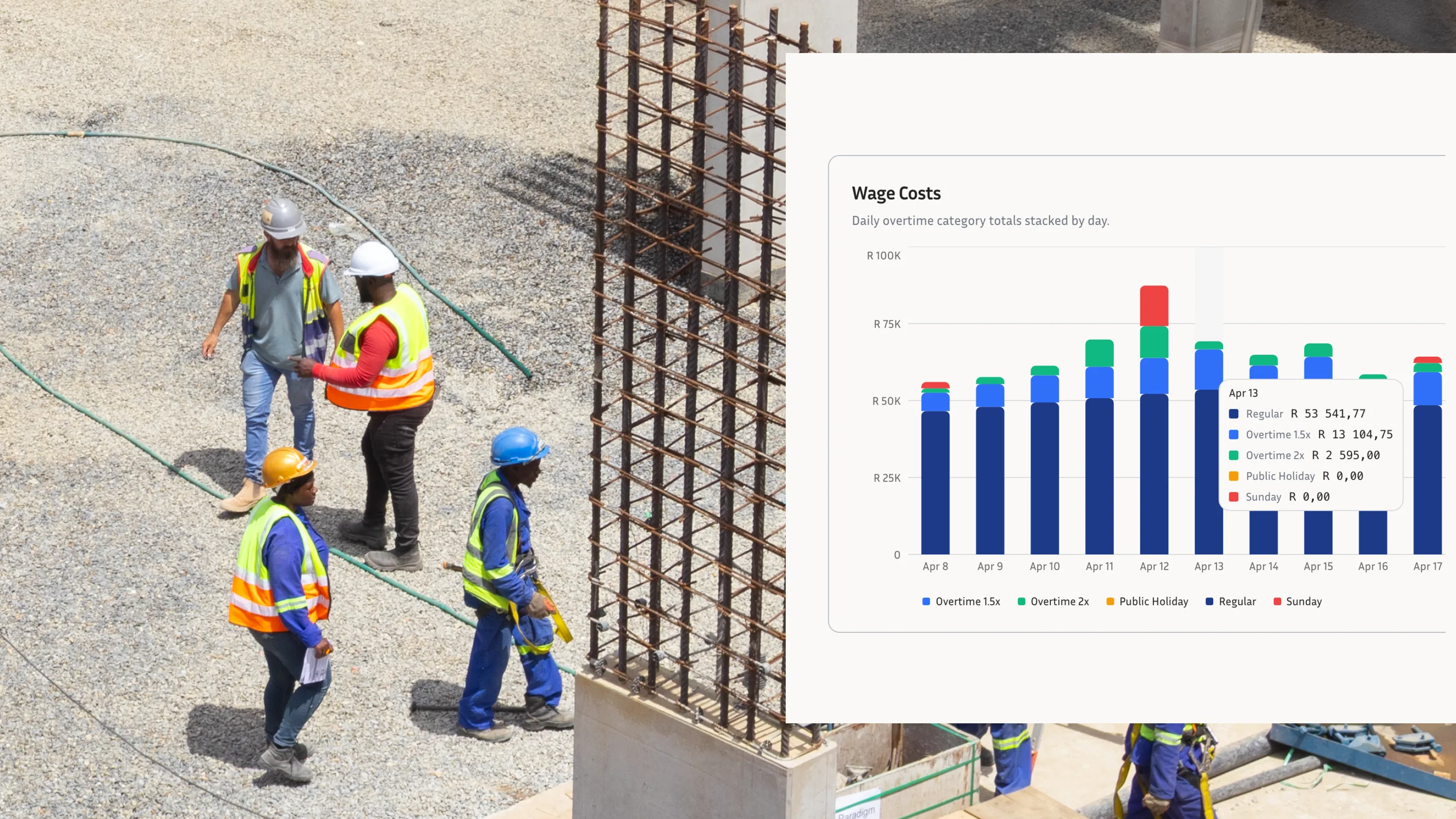
A business running 40 hourly workers on site loses between R10,000 and R14,000 a month to inaccurate time records, not through fraud but through rounded-up clock-ins, disputed start times, and manual timesheets nobody can verify after the fact. That number comes from a straightforward calculation: ten minutes of unverifiable time per worker per day, across 22 working days, at an average labour cost of R80 per hour. When a CCMA dispute lands on top of that and you cannot produce a timestamped attendance record, the exposure climbs further. An employee clocking system is what closes that gap.
What is an employee clocking system?
An employee clocking system is a tool that records when workers start and finish their shifts, captures those records in a verifiable format, and prepares the data for payroll review. It replaces paper timesheets, physical punch cards, and manual sign-in registers. The core workflow is straightforward: a worker clocks in at the start of a shift, the system records the time alongside an identity check, and those hours accumulate automatically into a payroll-ready report.
Modern clocking systems for employees run on smartphones, tablets, or dedicated hardware positioned at the site entrance. Most South African buyers in this category are choosing between phone-based apps, standalone hardware terminals, and biometric devices. Each has its place, and the right fit depends entirely on the nature of the operation.
Why SA businesses are switching to digital employee clocking systems
The decline of biometric hardware is a measurable shift in the South African market. A fingerprint terminal costs between R3,000 and R12,000 per device, requires a stable power supply and regular calibration, and is physically fixed to a single location. For a company running three or four active construction sites at any one time, that is a significant capital investment at every location, with no flexibility when a site closes or moves.
Connectivity is the second pressure point. Many construction and civils sites across the Northern Cape, rural KwaZulu-Natal, and outer Gauteng operate without reliable mobile signal. A clocking system that requires an internet connection to record a clock-in will fail workers on those sites. Offline clocking on remote sites is not a nice-to-have for these businesses. It is a hard requirement.
Data costs remain a practical concern across the sector. South Africa's mobile data rates create friction on any site where workers use prepaid SIM cards to access a business app. An app that consumes mobile data at every clock-in creates resentment, and some workers will simply avoid using it rather than watch their airtime disappear.
The multi-site problem is equally common. A single biometric terminal serves one entrance on one site. A business that adds a second or third site needs to buy, install, and maintain a terminal at each location. Phone-based systems scale differently: adding a new site means activating a new location in the app, not procuring new hardware.
The compliance pressure is also sharpening. The Basic Conditions of Employment Act requires employers to keep accurate records of hours worked for every employee. When a dismissal or wage dispute reaches the CCMA, the first document a commissioner asks for is the time and attendance record. A business relying on handwritten timesheets is in a weak evidentiary position, and that weakness has a rand value you can calculate once a hearing is scheduled.
This article provides general information only. Consult a qualified labour law professional for advice specific to your circumstances.
What to look for in an employee clocking system
The criteria that matter for a South African construction or field-service operation differ substantially from what a city-centre office needs. These are the questions to ask before you commit to any system.
Does it work without internet? Offline functionality is non-negotiable for a clocking system for construction sites. Most general-purpose time tracking apps require a live connection to log a clock-in, which means workers on sites without signal go unrecorded entirely. The system you choose should store records locally on the device and sync automatically when connectivity returns, without any manual intervention from a supervisor.
Does it cost your workers mobile data? An app that runs over standard mobile data adds friction at every single clock-in, and workers on prepaid contracts will push back. WorkWeek's data-free time tracking runs on a zero-rated connection, which removes that objection before it becomes an adoption problem on site.
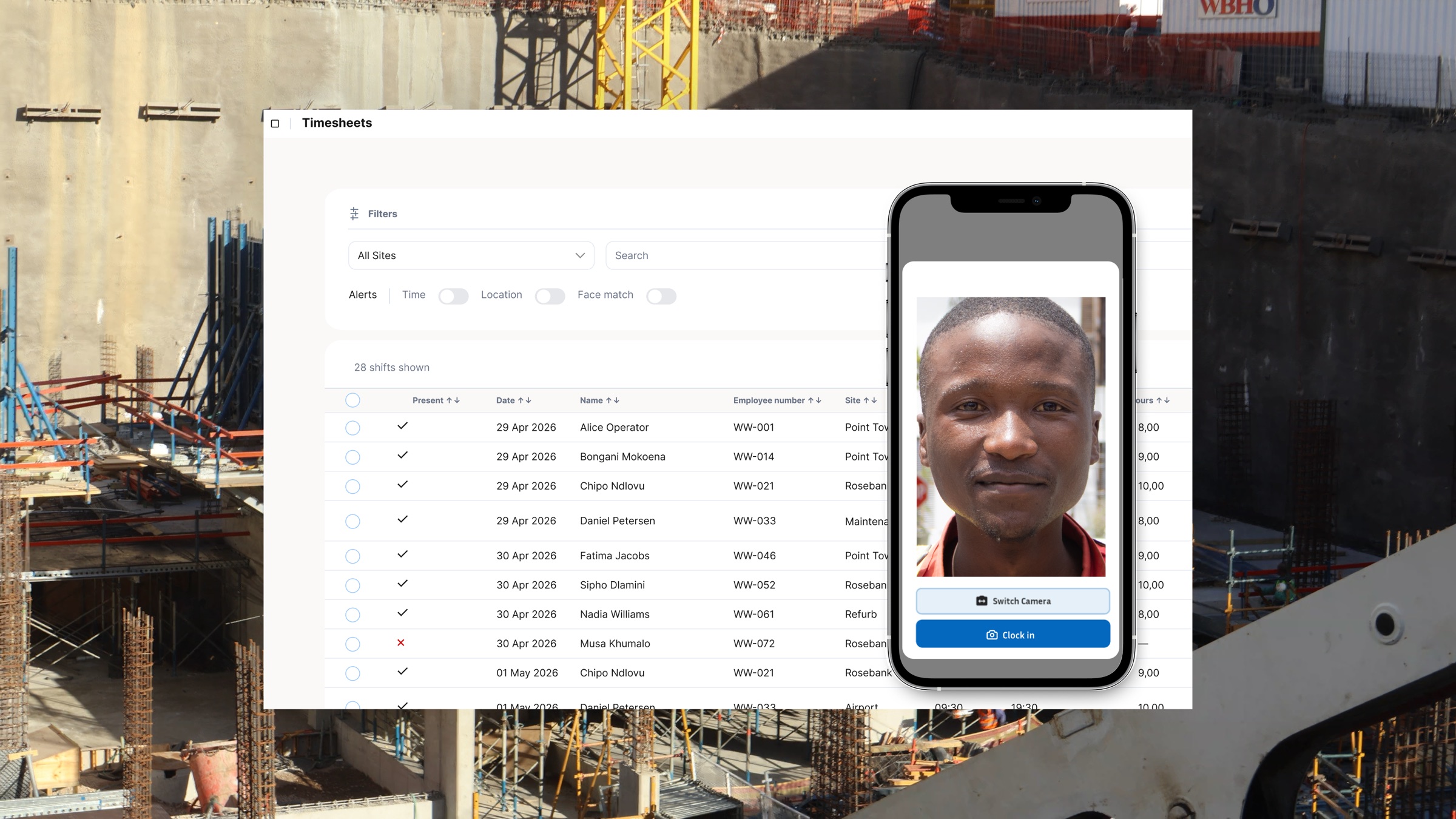
How does it verify identity? The clocking record is only useful if you can prove who clocked in. Selfie-based clock-ins match a photo against a stored profile at the exact moment of clock-in, flagging mismatches for supervisor review. This approach catches buddy punching without the hardware cost or maintenance overhead of a fingerprint scanner, and every verified match is stored as part of the auditable record. Learn how employee authentication works in practice.
Does it confirm the worker is actually on site? GPS verification at the moment of clock-in is categorically different from a location tag added after the fact. A proper GPS clock-in confirms that the worker was within the designated site boundary at the exact moment they clocked, not somewhere nearby five minutes earlier. See how GPS clock-in and employee location verification works in a real construction context.
How does it connect to payroll? Manual exports between a clocking system and payroll software create a reconciliation step where errors accumulate every pay cycle. Direct integration with SimplePay or Sage eliminates the re-keying step and removes the most common source of payroll disputes on site. If the system you are evaluating requires a spreadsheet export as the handover to payroll, that is a manual process dressed up as software.
Does it create BCEA-compliant records automatically? Every clock-in should produce a timestamped, auditable record that you can present at a CCMA hearing without reconstruction or approximation. Systems that rely on batch imports or end-of-day supervisor sign-offs do not produce this. A compliant record is one that is accurate at the moment it is created, tied to a verified identity, and stored in a format that cannot be edited after the fact.
Is it simple enough for workers who are not used to apps? A complicated clock-in process will not get used consistently, no matter how many features it has. Field workers and construction labourers need a process that works in a single step. If a foreman has to walk new workers through the app every Monday morning, the system is too complex for the environment it is supposed to serve.
The difference between a clocking system and a biometric clocking system
Many South African businesses have only ever used biometric hardware and assume the two terms are interchangeable. They are not. Biometric clocking is one type of employee clocking system, not the definition of the category.
Biometric terminals use fingerprint, iris, or facial recognition hardware to verify identity at clock-in. They work well in fixed, controlled environments such as a warehouse entrance, a factory floor, or an office building where the same permanent staff pass through the same gate every day. The verification is accurate, the device is tamper-resistant, and the process is familiar to workers who have used these systems for years. The WorkWeek vs biometric hardware comparison covers those trade-offs in detail and is worth reading before you decide.
Phone-based clocking systems verify identity using a selfie matched against a stored profile on a shared tablet or the worker's own device. There is no hardware to install at each location, no power supply to manage, and no maintenance contract. Setup for a new site takes minutes rather than days.
For construction, field service, and multi-site operations, the phone-based approach solves the practical problems that hardware cannot. A biometric terminal is fixed to one entrance. A phone-based system moves with the site. A terminal needs a qualified installer. A phone-based system is operational the moment a supervisor logs in and sets a GPS boundary. The cost of activating a new site drops from several thousand rands to almost nothing.
Biometric hardware still makes sense in the right context. If your operation runs a single fixed facility with permanent staff passing through one gate, a fingerprint terminal will serve you well and the upfront investment pays off over time. For anyone managing multiple sites, seasonal labour, or workers who rotate between locations, a mobile clocking system for employees is the more practical and cost-efficient choice at scale.
How to roll out an employee clocking system across multiple sites
What happens before the app is installed matters more than the installation itself. Tell workers what the system does and why you are introducing it at least a week before go-live. Workers who hear about the new clocking process from a site supervisor on a Monday morning, with no prior notice, will push back. Workers who were told two weeks earlier that the business is moving to digital records for payroll accuracy are far more likely to participate without friction.
Train foremen and site supervisors first, before anyone else. They are the people who will handle questions on the ground, and they need to be confident in the system before they start walking workers through it. A site supervisor who has not tested the process himself will not back it credibly when a worker raises an objection on day one.
In the first week, check the data daily. Look for workers who appear not to have clocked in or out and investigate the same day. Some will have forgotten, some will have had a technical issue, and a small number may be actively avoiding the system. Catching this in week one, before it becomes habit, is far easier than correcting it in week four.
The measure of a successful rollout is not a perfect clock-in rate on the first day. It is the trend across the first two weeks: rising clock-in rates and falling payroll discrepancies confirm the system is working. If clock-in rates are flat or declining after the first week, go back to the foremen and find out what is creating friction at site level before the problem compounds.
Frequently asked questions
What is the best employee clocking system in South Africa? For construction, field service, and multi-site operations, WorkWeek is the most purpose-built option for SA conditions. It operates offline without losing data, uses zero mobile data for every clock-in, verifies worker identity with a selfie match, confirms GPS location at the moment of clock-in, and creates payroll-ready exports for SimplePay and Sage workflows. Most general-purpose time tracking tools miss at least two of those criteria for this specific market.
What is the difference between a mobile clocking system and a biometric system? A biometric clocking system uses fingerprint, iris, or facial recognition hardware installed at a fixed location to verify identity. A phone-based clocking system uses a selfie match on a shared tablet or personal device, without any hardware at each site. Biometric hardware suits fixed, controlled environments with permanent staff. Phone-based clocking suits multi-site operations, seasonal labour, and field workers who move between locations.
Does an employee clocking system work without internet? The right one does. WorkWeek stores clock-in records locally on the device when there is no connectivity, then syncs them automatically when a connection becomes available, with no manual step required. Most general-purpose apps cannot do this, which makes them unsuitable for construction and field operations in areas with unreliable signal coverage.
Is an employee clocking system BCEA compliant? A digital clocking system produces timestamped, auditable records at the moment of each clock-in, which satisfies the record-keeping obligations of the Basic Conditions of Employment Act. A paper timesheet carries significant risk in a CCMA dispute because records can be reconstructed, altered, or disputed after the fact. Digital records tied to a verified identity and a confirmed GPS location are far harder to challenge as evidence.
This article provides general information only. Consult a qualified labour law professional for advice specific to your circumstances.
How much does an employee clocking system cost in South Africa? Costs vary by type and scale of operation. Biometric hardware terminals range from R3,000 to R12,000 per device, plus installation and ongoing maintenance. Phone-based systems are typically priced on a per-worker, per-month basis, which suits businesses with variable headcounts or multiple active sites. For pricing based on your actual workforce size and site count, speak to the WorkWeek team directly.
If you are evaluating clocking systems for South African workers across one or more sites, the criteria in this guide are the filter to apply. Not every system will pass all of them. WorkWeek is built specifically for this context: offline operation, zero data cost, selfie identity verification, GPS-confirmed location at clock-in, automatic BCEA-compliant records, and payroll-ready exports for South African payroll platforms. See how WorkWeek works and find out whether it fits your operation.