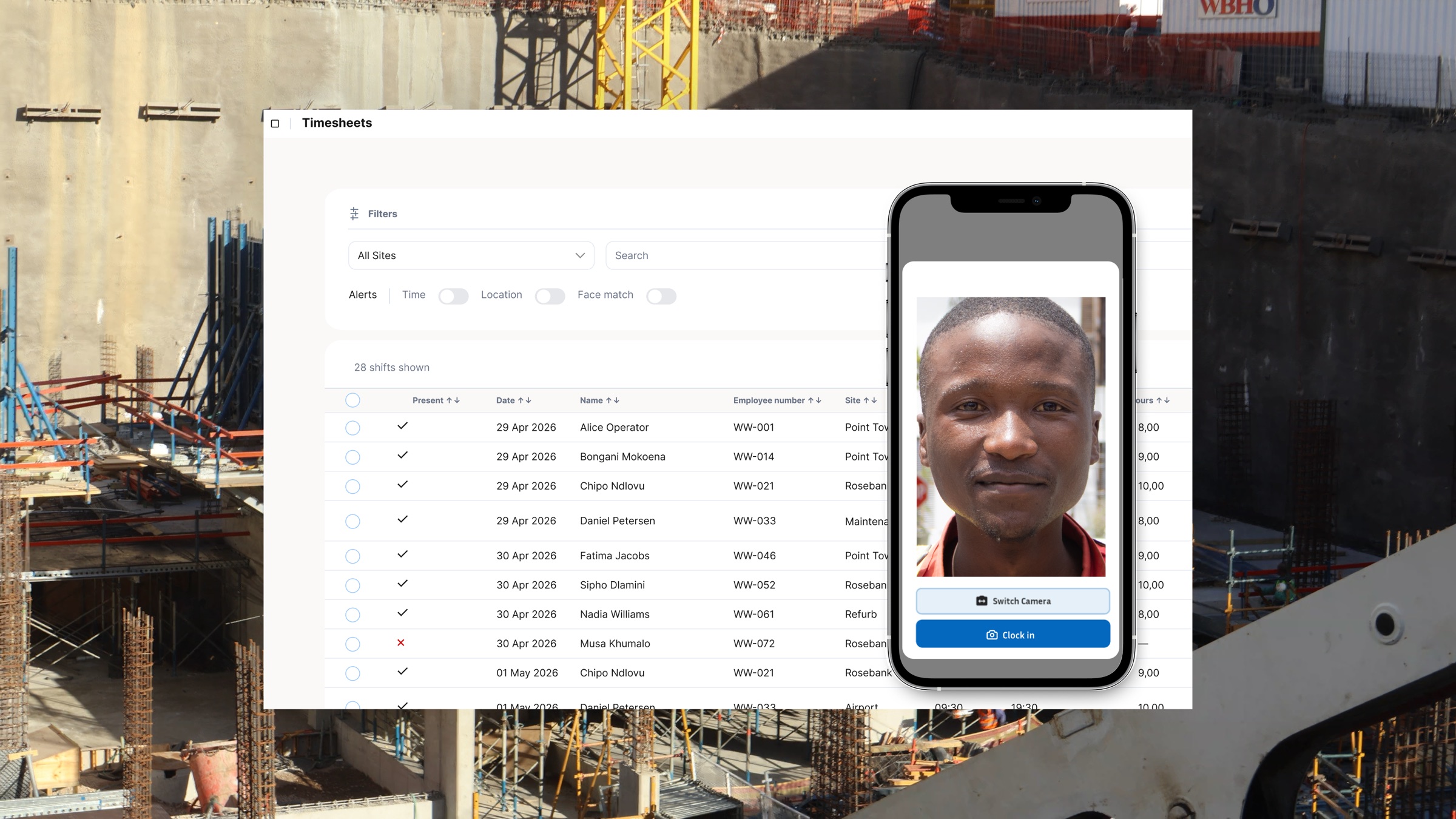
Yes, you can track exactly how many hours were worked per project, per site, or per location. The problem is that many clocking systems only tell you that an employee worked. They do not tell you which job absorbed those hours. For construction businesses, that is the gap between having attendance data and actually controlling labour cost.
A practical project-based time-tracking workflow usually looks like this:
- Assign each site, project, or work area a clear location or project code in the system.
- Employees clock in and the system verifies the site or location they are clocking from.
- The hours are tagged to that project automatically instead of being sorted later by hand.
- Payroll and project reports pull from the same source record so the labour cost matches the attendance record.
Why Tracking Hours Per Employee Is Not Enough
Knowing that John worked nine hours is not the same as knowing whether those nine hours were profitable. Construction managers, quantity surveyors, and business owners need to know which site, contract, or cost code those hours belong to. Without that, labour leakage only becomes visible after the payroll run, when the margin is already gone.
This is why project-based time tracking sits closer to commercial control than basic attendance. It lets a business compare actual labour against what was budgeted per site while the work is still in progress, not after month-end when the damage is already in the numbers.
How Site-Based Clocking Works
The strongest systems attach the clock-in to a physical location at the moment it happens. In practice that means the worker clocks in on a phone or shared device, the system checks the location, and the hours are automatically tied to that site. When the business runs multiple sites at once, the attendance record becomes site-specific by default instead of relying on someone to sort timesheets later.
Offline support matters here. Many active sites still have unreliable connectivity, and a system that only works with a live signal will fail in exactly the places where project-based hour tracking matters most.
Can I Track Hours Across Multiple Sites at Once?
Yes. A good multi-site setup gives operations managers a live view of active sites and the hours accumulating at each one. That is what turns attendance from a historical record into an operating control. You can see whether one site is overrunning labour earlier in the week instead of discovering it in payroll.
For businesses that move crews between jobs, this also helps separate one team's productive hours from another team's dead time, travel time, or misallocated labour. The visibility is operational first and payroll second.
How Do I Assign Hours to a Project, Not Just a Location?
The cleanest answer is to let the system distinguish between physical site and project code. Sometimes those are the same thing. Sometimes they are not. A business might run more than one project inside the same broader location, or shift workers between cost codes on a shared site.
That is why the system should support a project or job identifier, not only a worker name and timestamp. If the record only says who worked and when, payroll can still be run. Job costing cannot be trusted as easily.
What BCEA Records Still Require
Project tags do not replace BCEA record-keeping. The Act still requires employers to keep written records of hours worked, overtime worked, and pay received. Project-based tracking strengthens that record because it adds site and job context to the hours, but the core compliance duty still depends on accurate time capture and proper retention.
That matters because construction businesses often need one record to do two jobs at once: support payroll compliance and support job costing. A site or project-linked clocking record can do both when it is captured properly at source.
How Project Hours Feed Into Payroll
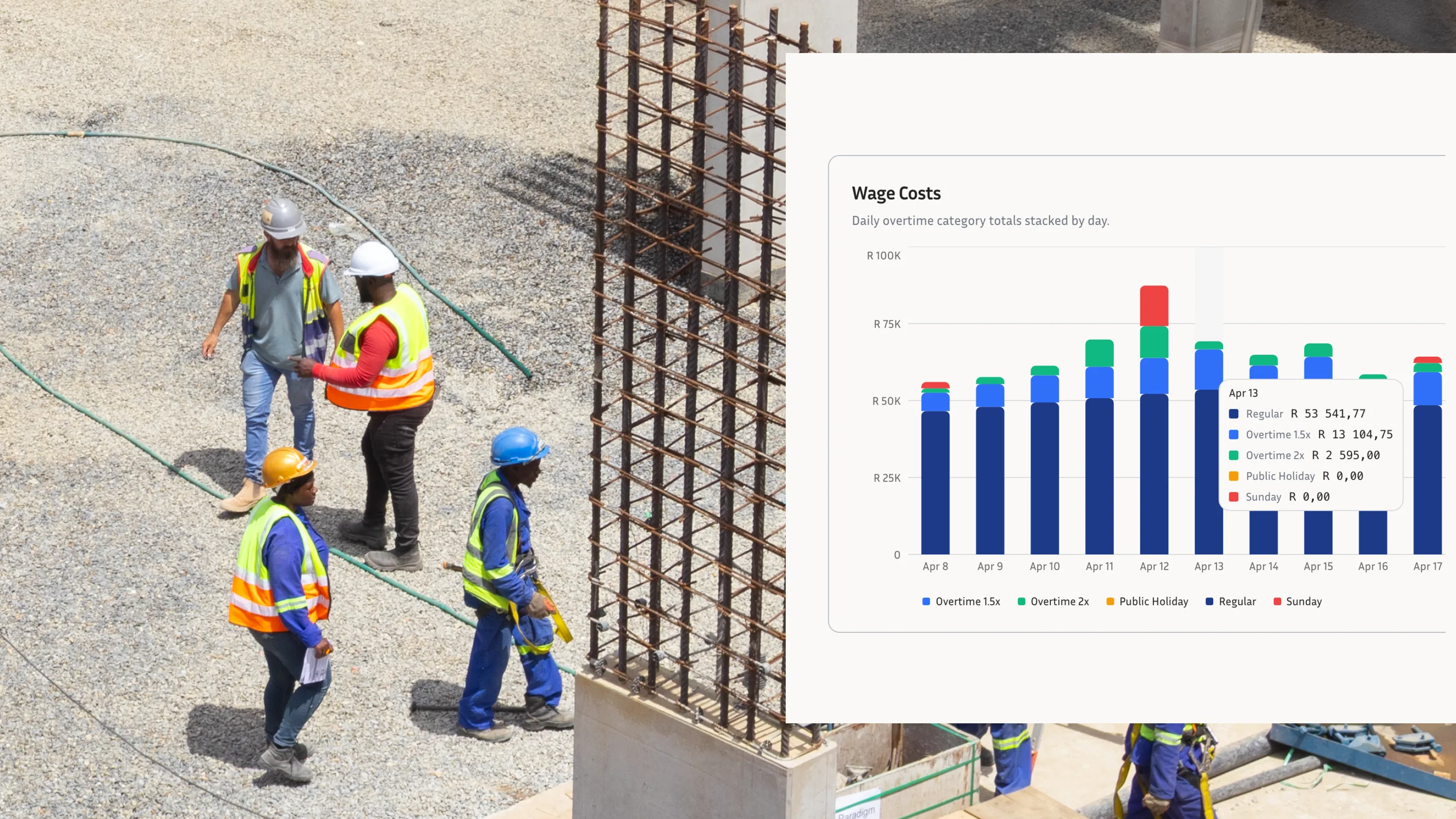
This is where the value becomes commercial. If project-linked hours are captured as payroll-ready records, you remove the manual reallocation step where most reporting errors start. Payroll teams get the correct hours to review, and management gets a labour picture that still matches what payroll paid.
For construction businesses using SimplePay or another payroll workflow, the ideal system is one where hours move through once, with the site and project logic already attached. That reduces admin time and protects the accuracy of both payroll and project reporting.
Track the Job, Not Just the Person
A standard timesheet answers who worked. A project-based clocking system answers who worked, where they worked, what job absorbed the hours, and what that means for labour cost. That is the difference construction businesses actually need. If your current process cannot tell you where the hours went until after payroll closes, it is already too slow to protect margin.